After successful registration, CSD customers can buy AFD products through the online portal (afd.csdindia.gov.in) easily. How to get LS Order (Local Supply Order)?
Detailed Procedure of Depot Manual
This guide is to help the depots in processing and verifying the placed orders. Here is a detailed step by step pictorial guide:
Step 1: Open website, https://afd.csdindia.gov.in
Registered depots have to log in to check pending demands and process it. Click on “SHOP NOW” to login.
Step 2: Enter details to log in and click on “Login”.
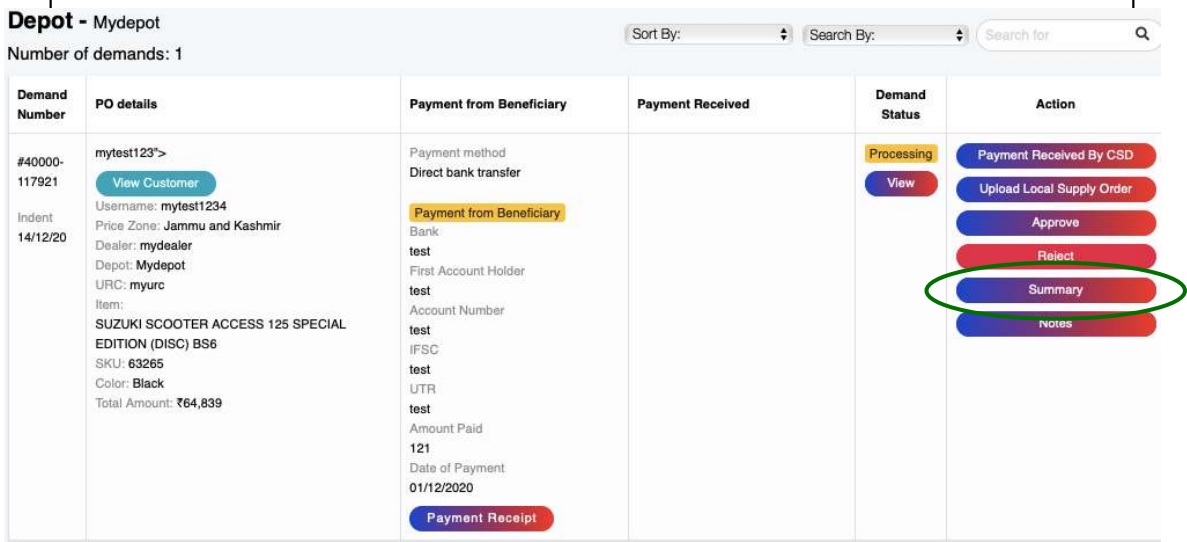
Step 3: The user will be redirected to the “Received Demands” page.
The status of the order will be “Processing”.
Depot can view the summary of the order by clicking on “summary”.
Step 4: Check the following (Offline process):
1. If the payment has been received from the user
2. Purchase history
3. Generation of Local Supply Order from existing ICDS software that is
being used in Depots.
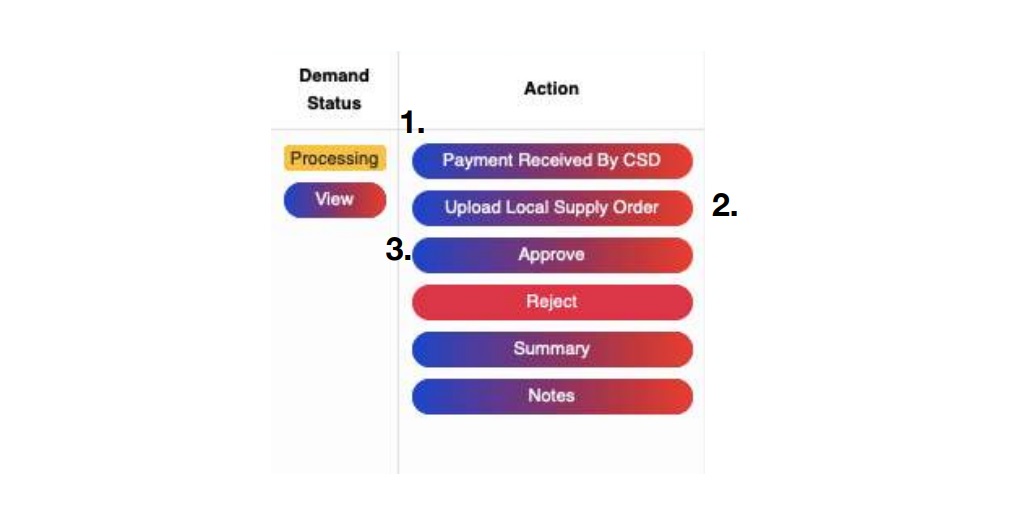
Step 5: Depot has to fill the following:
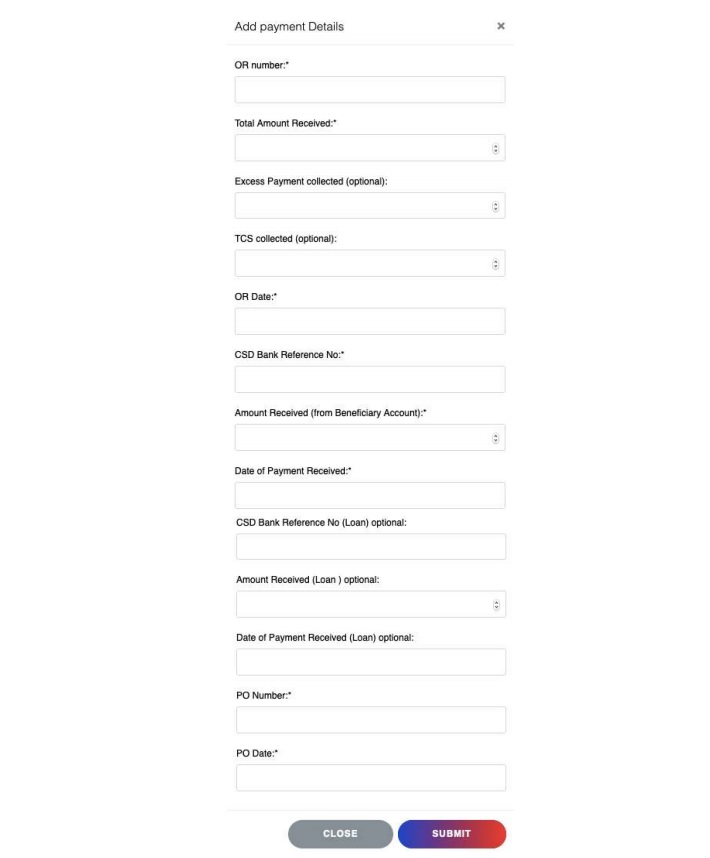
1. Enter Payment details, received by the CSD
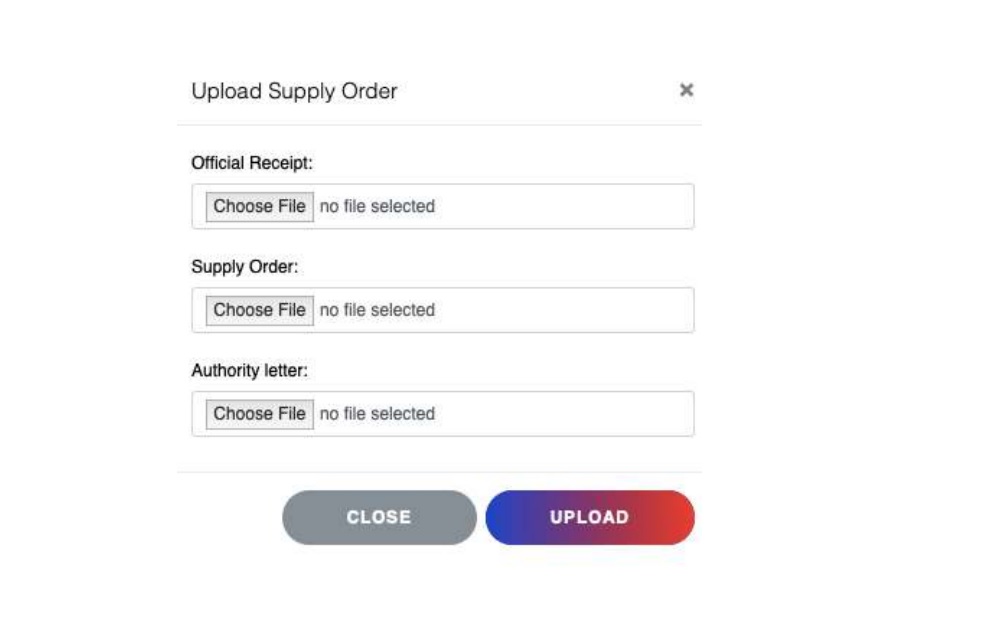
2. Upload Local Supply Order
2.1 Upload Official Receipt
2.2 Upload Supply Order
2.3 Upload Authority Letter
3. Approve the order
These options are found below the “Action” tab.
Enter Payment details, received by the CSD.
Upload Local Supply Order
3. Approve the order: The order can be rejected if any of the checks in step 4 do not match the requirements. The payment will be refunded upon rejection. Upon Approval, the status of the order will change to “Supply Order Issued.” Now, the URC will take the order forward.