Online CSD AFD Portal Password Reset Process
Online CSD AFD Portal Password Reset Process: Resetting your password for the CSD AFD online portal is an easy process. To begin, log in to the portal at afd.csdindia.gov.in. If you have forgotten your password, click the ‘Shop Now’ button, followed by the ‘Lost Your Password?’ link.
You will be directed to a page where you will need to enter your registered email address or username. Once you have entered the required details, click on the ‘Reset Password’ button. You will receive an email with a link to reset your password. Follow the link and enter your new password. Once you have successfully reset your password, you will be able to log in to the CSD AFD online portal using your new credentials.
[lwptoc numeration=”none” numerationSuffix=”none” title=”Table of Contents” toggle=”0″ width=”full” titleFontSize=”18px” itemsFontSize=”18px” linkColor=”#dd3333″ skipHeadingLevel=”h1,h2,h4,h5,h6″]
Reset Password – CSD AFD Online
Resetting your password for the CSD AFD online portal is an easy process;
Step-1: To begin, log in to the portal at afd.csdindia.gov.in.
Step-2: Next, click the ‘Shop Now’ button, followed by the ‘Lost Your Password’ link in the login page.
Step 3: Enter your email address or username in the Reset Password form.
Step 4: Enter the captcha and then click the Reset Password button.
Step 5: You will receive a link from the CSD AFD Team to create a new password.
Step 6: Enter a new password and select the Submit button.
If you forget your password to CSD online portal, What do you have to do next?
Here we explain the process to get the new password.
Step1: In case, a user forgets the password then he can open the login page and click on “Lost your password?” to reset the password.
Step2: Enter your registered e-mail address to receive a reset password link.
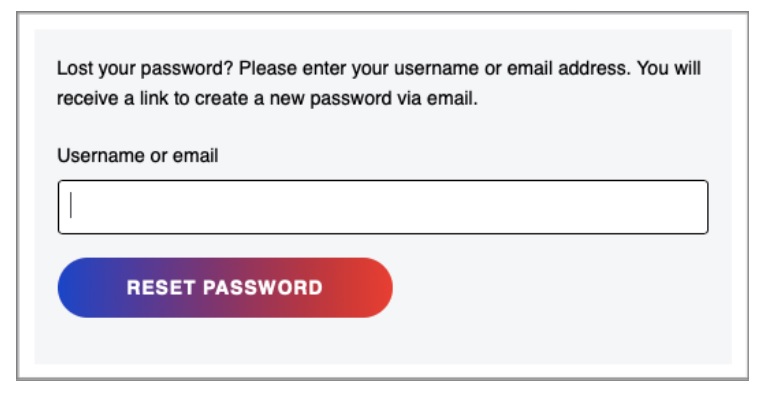
Step3: Open the mail and click on the link.
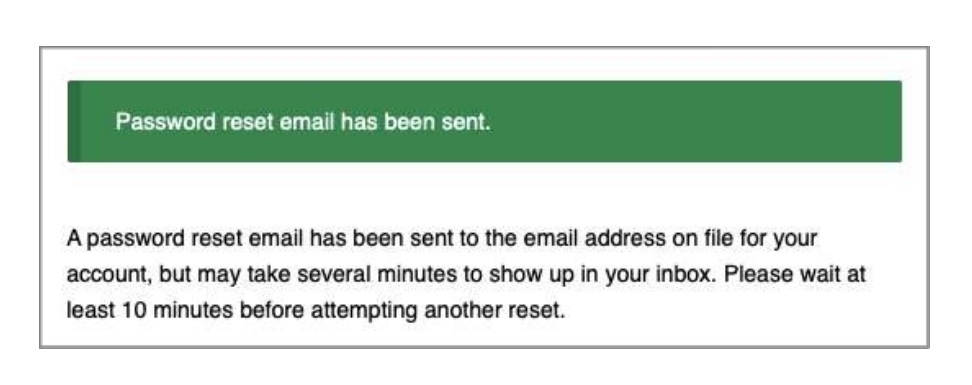
Step4: The user will be prompted to the following page.
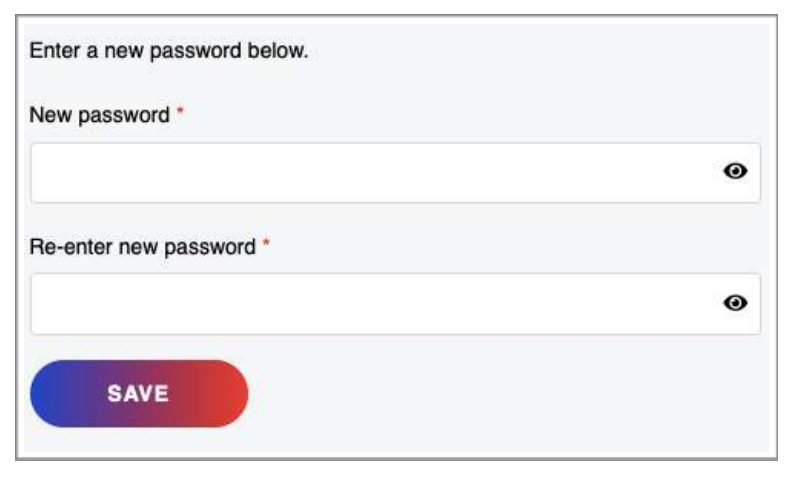
| CSD AFD Online Portal Login | Click Here |
| CSD AFD Online Portal Registration | Click Here |
| CSD AFD Online Portal Price List | Click Here |
| CSD AFD Online Portal New Registration | Click Here |
Invalid Username or Email in CSD Portal
To reset your password for the Online CSD AFD Portal, follow these steps. If you happen to enter an incorrect email in the input box, the webpage will display an error message saying, “Invalid username or email.” In that case, click on the “Lost your password?” option and enter your username or email address. A link to create a new password will be sent to your email. Remember to type in the captcha code shown on the screen and then click on the “RESET PASSWORD” button to complete the process.
Username loss